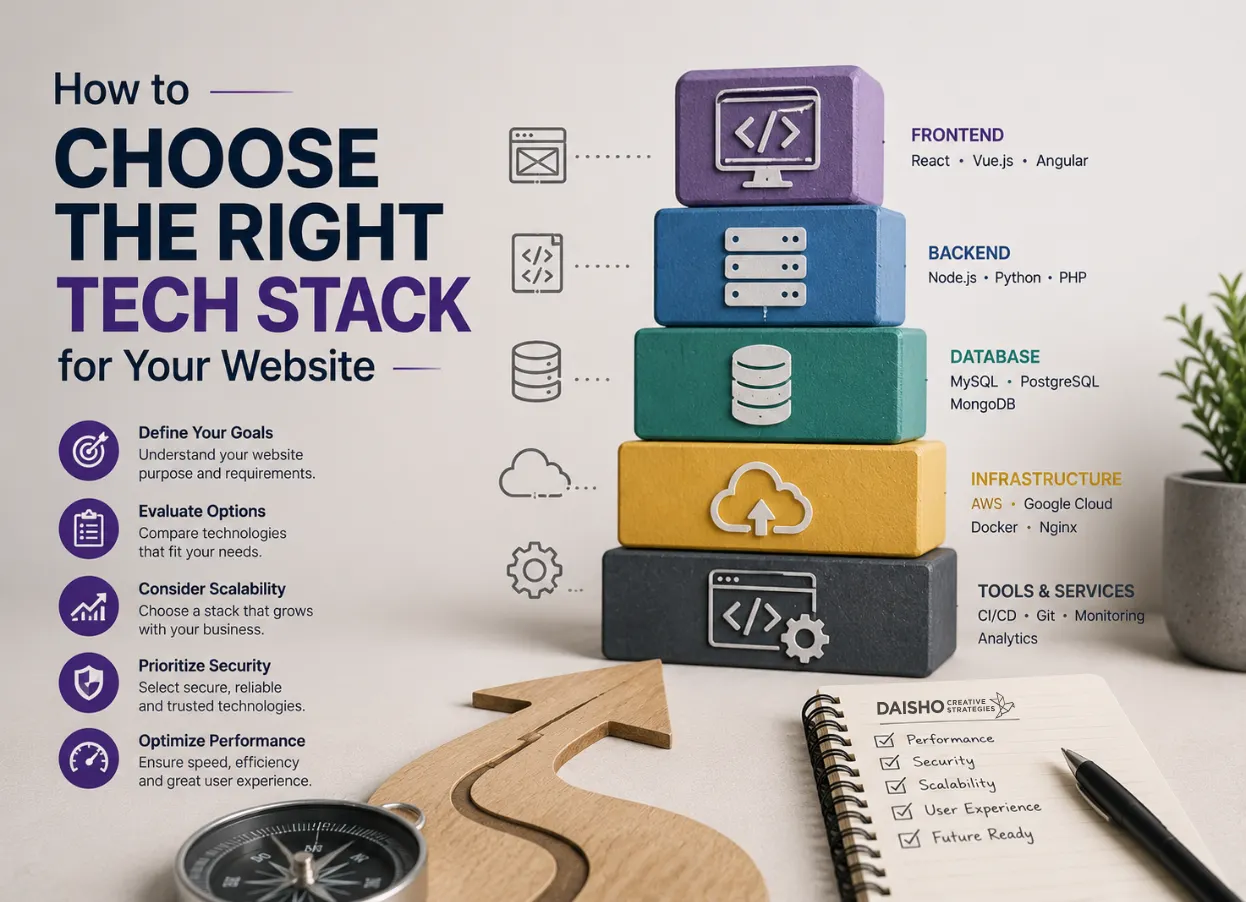
Choosing the right tech stack for your website is one of the most important decisions you will make during digital development. Your tech stack determines how fast your site performs, how secure it is, how scalable it becomes, and how easily your team can manage it over time.
Just like a strategic branding process used by agencies such as Daisho Creative, selecting the right technologies is not about picking random tools – it’s about building a structured system that aligns with your goals, audience, and long-term growth.
This guide breaks down how to choose the right tech stack using a structured, clarity-first approach.
Understanding What a Tech Stack Really Means
A tech stack is the combination of technologies used to build and run your website. It usually includes:
- Front-end (what users see)
- Back-end (server logic and database)
- Hosting and infrastructure
- Frameworks and libraries
- CMS (Content Management System)
The right stack ensures your website is not only functional but also scalable, secure, and easy to maintain.
Why Choosing the Right Tech Stack Matters
Many businesses focus only on design and ignore the underlying system. But a weak tech stack can lead to:
- Slow website performance
- Poor SEO rankings
- High maintenance costs
- Security vulnerabilities
- Limited scalability
On the other hand, a well-planned stack supports long-term business growth, similar to how strategic web systems are built in professional web design services like those offered by Daisho Creative, where performance and scalability are key priorities in every build.
Key Factors That Influence Tech Stack Selection
| Factor | Why It Matters | Impact on Website |
| Performance | Determines speed and responsiveness | Directly affects user experience and SEO |
| Scalability | Ability to grow with traffic and features | Prevents rebuild costs in the future |
| Security | Protects data and user trust | Reduces risk of attacks and downtime |
| Development Speed | How fast the site can be built | Affects time-to-market |
| Maintenance | Ease of updates and fixes | Impacts long-term costs |
This chart shows that choosing a tech stack is not just technical – it is strategic. Each factor affects your business outcomes.
Define Your Website Goals
Before selecting tools, you must clearly define what your website needs to achieve:
- Is it a business website or eCommerce platform?
- Do you need bookings, memberships, or dashboards?
- Will content be updated frequently?
- Do you expect high traffic growth?
A simple brochure website may only need a lightweight CMS, while a high-traffic platform requires a scalable architecture with stronger backend systems.
Choose the Right Front-End Technology
The front-end is what users interact with. Popular options include:
- HTML/CSS/JavaScript (basic websites)
- React (dynamic web applications)
- Vue.js (flexible UI development)
- Next.js (SEO-friendly modern framework)
If SEO and performance matter, frameworks like Next.js are often preferred because they support server-side rendering and faster load times.
Choose the Right Back-End Technology
The back-end handles data, logic, and server operations. Common options include:
- Node.js (fast and scalable JavaScript backend)
- PHP (widely used in CMS platforms like WordPress)
- Python (great for data-heavy applications)
- Ruby on Rails (rapid development framework)
Your choice depends on complexity, developer availability, and scalability requirements.
Popular Tech Stack Combinations
| Stack Type | Front-End | Back-End | Best For |
| JAMstack | React / Next.js | Serverless APIs | Fast, scalable websites |
| MERN Stack | React | Node.js + MongoDB | Full-featured web apps |
| LAMP Stack | HTML + JS | PHP + MySQL | Traditional websites |
| MEAN Stack | Angular | Node.js + MongoDB | Enterprise applications |
Each stack serves a different purpose. There is no “one-size-fits-all” solution.
Select a CMS or Headless CMS
Content management is critical for long-term success.
Options include:
- WordPress (flexible and widely used)
- Shopify (eCommerce-focused)
- Strapi (headless CMS)
- Contentful (enterprise content systems)
A headless CMS is often chosen for modern websites because it separates content from design, allowing more flexibility and faster performance.
Consider Hosting and Infrastructure
Hosting determines how your website performs in real-world conditions.
Key options:
- Shared hosting (low cost, low performance)
- VPS hosting (balanced performance)
- Cloud hosting (scalable and reliable)
- Managed hosting (fully maintained systems)
Professional agencies like Daisho Creative often combine hosting, maintenance, and optimization into one system to ensure performance consistency across all client websites.
Evaluate Long-Term Maintenance Needs
A tech stack should not just work today – it should remain stable for years.
Ask:
- How often will updates be required?
- Is the technology actively maintained?
- Are developers widely available?
- How easy is it to scale features?
A poorly chosen stack can become expensive to maintain and eventually require a full rebuild.
Build for Strategy, Not Just Technology
Choosing a tech stack is not about following trends – it is about aligning technology with business goals.
A strong website is built on clarity, structure, and scalability, similar to the strategic approach used by agencies like Daisho Creative, where design,Web development, and system thinking work together.
If you choose your tech stack carefully, your website becomes more than a digital presence – it becomes a long-term growth engine for your business.
FAQs
What is a tech stack in web development?
This technology stack is a set of front-end and back-end, database and hosting infrastructure technologies that are used to build and run a website or application.
How do I choose the right tech stack for my website?
Begin analyzing To check the requirements of your project, tracking needs to be scaled and even budget or performance you expect. Then choose technologies that support those goals, have popular community support.
Which tech stack is best for beginners?
Simple stacks are more simple to code for starters, such as WordPress for instance (CMS) or LAMP stack (Linux, Apache, MySQL and PHP), more easier than complex frameworks.
What is the difference between frontend and backend technologies?
Frontend is about what users see and interact with (such as design and layout), but backend handles server logic, databases, and application functionality.
Is a custom tech stack better than using a CMS?
It depends on your needs. Custom stacks provide better flexibility and scalability, while CMS systems are quicker to build out for simplistic websites, therefore they usually end up being more cost effective.